

You're about to sign off on an automation build. Before you do, answer one question: has anyone actually drawn how the process runs today?
Not the SOP. Not the flowchart the last consultant left behind. The real thing, with WhatsApp voice notes and the finance manager quietly re-checking dispatch notes at 4pm.
If the answer is no, process mapping before automation is the hour that stands between you and an expensive month of rework. Most UAE SMEs skip it.
Key Takeaways
- Automating a broken process just scales the break — The tool works exactly as designed, but against a process that doesn't actually exist as documented — which is the root cause behind most enterprise AI pilots producing no measurable P&L return.
- Cross-checks and WhatsApp handoffs sink automation projects — In one documented operations turnaround, industry sources put around 40% of delivery delays down to manual cross-checks between dispatch and finance — a step that appeared on no org chart or SOP.
- Most AI pilots don't produce a P&L return — The article ties this directly to automating processes nobody mapped first. Mapping is what separates the automation spend that pays back from the spend that doesn't.
- UAE maps must include WhatsApp and Arabic-English handoffs — Trade licences, VAT invoices, and Emirates IDs often arrive as WhatsApp photos that someone checks by hand for language, expiry, and legibility — steps invisible unless you map the actual channels, not just the CRM or accounting system.
- One hour of mapping beats weeks of rework — Budget about an hour for a single, well-scoped process, two hours if it crosses more than three roles. Practitioners report mapping first cuts implementation timelines by 40 to 60%, the difference between an eight-week build and a three-week one.
Why Skipping the Map Is the Most Expensive Step in Automation
A process map is a visual record of what actually happens, not what the SOP claims happens. Every step, every handoff, every decision point, every tool, in the real sequence a job travels through your business. Almost nobody in the UAE SME segment does it before buying automation.
Look at a typical Dubai trading company. An enquiry lands on WhatsApp in Arabic. Someone screenshots it into a group chat with the sales lead.
A quotation gets built in a shared spreadsheet, approved verbally over coffee, then re-typed into the accounting system by an admin who translates the customer's message into English along the way. None of that is written down anywhere. Yet it is 100% of how the business earns revenue.
Skip the map and you're paying to automate a fiction. The tool works exactly as designed against a process that doesn't exist. That is the root cause behind most enterprise AI pilots producing no measurable P&L return.
Don't automate the mess. A map is how you see the mess before spending a single dirham.
The UAE's Federal Decree-Law No. 45 of 2021 sets out the lawful bases for processing personal data and the rights a data subject can exercise against a controller.
The Invisible Steps That Break Automation Projects

Photo: RDNE Stock project on Pexels
Here's the case that should convince you. In one operations turnaround documented publicly, industry sources put around 40% of delivery delays down to manual cross-checks between dispatch and finance.
That step wasn't on any org chart or in any SOP. But it was glaring the moment anyone stood on the shop floor for an hour.
That is what a process map catches and what nothing else does. Vendor demos won't show you. SOPs describe how things should work, not how they do.
In UAE operations the invisible steps multiply. A customer sends a voice note in Arabic. Your CS agent listens, translates, opens the CRM, and types an English summary.
That's two undocumented steps: the translation and the summarisation. Automate only the CRM entry and you've built a tool that fires on a data structure your team hasn't actually created yet.
Document routing is the same story. Trade licences, VAT invoices and Emirates IDs arrive as photos on WhatsApp. Someone opens each photo, reads whether it's the Arabic or English side, checks the expiry date by hand, and forwards it on.
Ask the operations manager to draw that flow and they'll draw four boxes. Ask the actual admin and you'll get twelve, plus exception paths for photos that are blurry, expired, or in the wrong name.
The gap between the official process and the actual process is exactly where automation projects fail. The map is what closes it, before you commit any budget.
Microsoft's analysis of global AI diffusion is where the frequently quoted UAE workplace-adoption figures come from.
How to Map a Process in About One Hour
Pick one process. Not the whole operation. One.
If you're not sure which one, the Time Audit Template helps you find the process actually eating your team's week, which is almost always different from the one that feels most painful.
Then walk it with the people who do it. Not the manager who designed it two years ago. The person whose hands touch the work today.
Run short 1:1 or small-group interviews and draw swimlanes as they talk. One lane per role, one box per step, arrows between them.
Capture every channel in the real sequence. If a process runs across WhatsApp text, voice notes, a spreadsheet, the CRM, email to the accountant, and a printed signature, all of them go on the map. Nothing gets left off because it feels informal.
For each step, note who does it, in which language, on which tool, and what they do when something is missing or wrong. That last one matters most.
Exception paths are usually the most expensive part of any process and the most likely to snap the second automation touches them. The photo too dark to read. The customer who replies in Arabizi.
The invoice without a TRN. Every one of those is a branch on your map, and every branch is a decision your future automation must make correctly or fail loudly.
An hour is enough for one meaningful process. Two hours if it's genuinely complex or crosses more than three roles.
The US National Institute of Standards and Technology organises its AI Risk Management Framework around four functions: govern, map, measure and manage.
What Your Map Tells You Before You Spend a Dirham
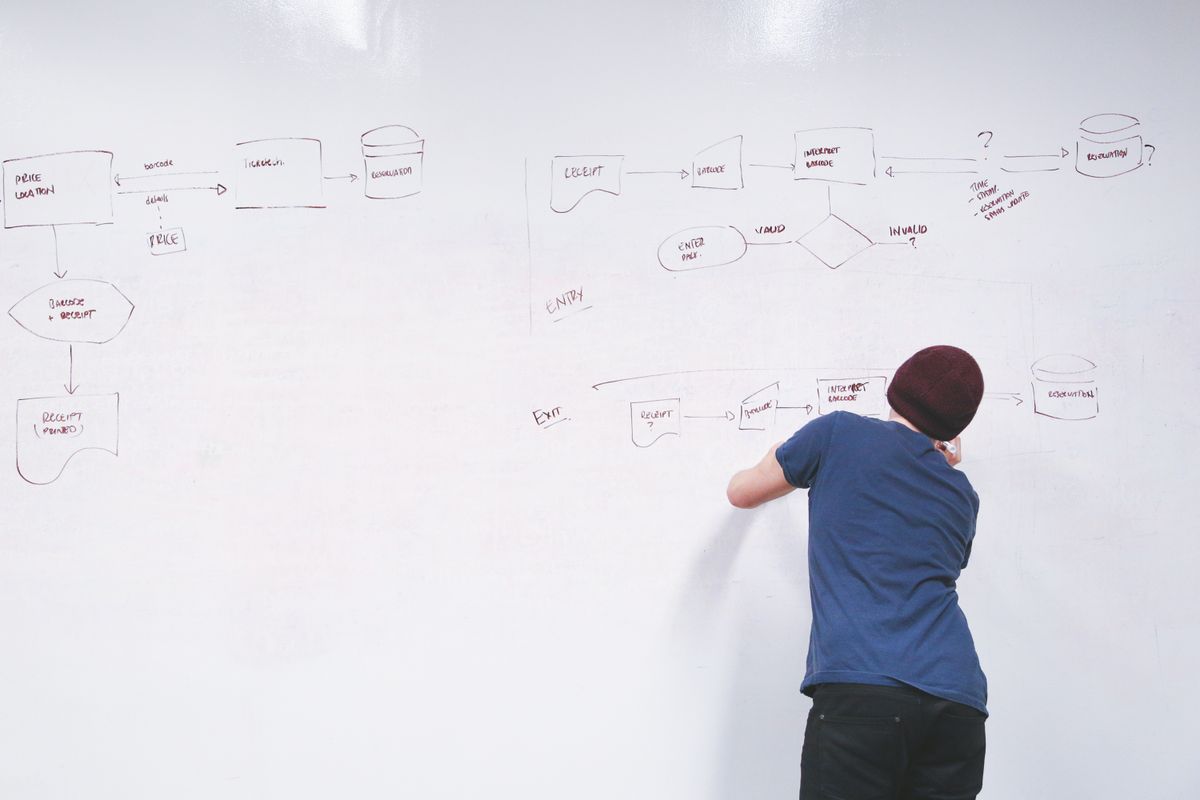
Photo: Startup Stock Photos on Pexels
Read the finished map with three questions in mind.
First, which steps are high-volume, rule-based, and require no judgment? Those are your strongest automation candidates. A step that runs 200 times a week, always with the same inputs and the same decision logic, is exactly what automation is built for.
Second, which steps require context, relationship, or discretion? Those need honest scrutiny against the tasks you should never automate before any build decision.
A negotiation with a repeat client. A judgment call on whether to extend credit. The apology when something's gone wrong.
Automating these usually costs you more than the labour it saves.
Third, which steps exist only because a previous step is broken? These are the ones to redesign first.
Automating a workaround locks it in at scale. If finance cross-checks every dispatch note because dispatch produces unreliable data, the answer isn't a faster bot. The answer is fixing dispatch.
The map also separates steps your team finds painful from steps they perform quickly. Pain and automation priority are not the same thing.
A step that stings once a week isn't a better candidate than one that quietly consumes an hour a day. The map shows you both.
Practitioners report implementation timelines dropping by 40 to 60% when the map is done before the build begins. That's the difference between an eight-week project and a three-week one, on the same scope.
Sorting every mapped step into one of these categories turns the map into a decision tool.
PwC Middle East publishes comparable regional work, and reading both is a cheap way to spot where a single number is being over-quoted.
| Step type | What it looks like | What to do with it |
|---|---|---|
| High-volume, rule-based, no judgment | Same inputs, same decision logic, e.g. 200 times a week | Automate first |
| Requires context, relationship, or discretion | Negotiating with a repeat client, a credit call, an apology | Leave to a person |
| Exists only to patch an earlier broken step | Finance cross-checks dispatch because dispatch data is unreliable | Redesign the broken step, not this one |
| Painful but infrequent | Stings once a week | Lower priority than a quiet daily time-drain |
Turning Your Map Into an Automation Shortlist
Score every step across three axes: frequency (how often it runs), time cost (how much it consumes), and error rate (how often it produces exceptions). Steps that score high on all three are your first candidates. Steps that score high on only one usually aren't worth the build cost yet.
That scoring feeds into a broader selection method. Work through the full process selection framework to turn a raw shortlist into a sequenced roadmap.
The map is the input. The framework turns it into a plan.
Some steps look automatable on paper but are cheaper to route to a person. The automation vs hiring comparison every UAE SME is quietly making walks through the actual dirham maths.
A part-time bilingual admin sometimes beats a five-figure automation build. The map lets you see that clearly instead of guessing.
Treat the map as a reusable asset. Every future automation decision in the same area starts with updating it, not redrawing from scratch.
Not sure which process to map first, or whether what you've mapped is ready to automate? Book a free 30-minute call with Lenoo AI.
No pitch. We'll listen to how your operations actually run, help you identify your top real automation opportunities, and tell you honestly if a build doesn't make business sense.
Related reading
FAQ
How long does process mapping actually take before I can start automating?
For a single, well-scoped process with two or three roles, budget about an hour of interviews and another hour to draw and validate. Complex processes crossing multiple departments can take a day. That's still cheap compared to the weeks lost when automation lands on a process nobody understood.
Do I need specialist software to map my processes, or will a whiteboard work?
A whiteboard, sticky notes, or a shared document works fine for a first map. What matters is capturing every step, every channel, and every exception path accurately. Tooling is a preference; discipline about what goes on the map is the actual skill.
What is the difference between a process map and a standard operating procedure?
An SOP describes how work should be done. A process map records how it is actually done, including the WhatsApp handoffs, verbal approvals, and workarounds that never make it into any SOP. Only the map tells you what will happen when you introduce automation.
Which process should I map first if my team has limited time?
Start with the process that consumes the most cumulative hours across your team, not the one that feels most annoying. Running a quick time audit first surfaces the real answer, and it's usually different from what everyone assumes.
What if my team's real process is completely different from what is written down?
That is the normal finding, not an exception. The whole point of mapping is to close the gap between the official process and the actual one, then document the reality.
How do I map a process that runs partly on WhatsApp and partly inside a system?
Draw each channel as its own swimlane and use arrows to show every handoff. Note where information gets translated, retyped, or summarised, because those are the failure points. If a voice note becomes a CRM entry via a human ear and keyboard, both transformations belong on the map explicitly.
How do I know when a mapped process is genuinely ready to automate?
When the map is stable across two or three walkthroughs, when every exception path is documented, and when you've redesigned any step that only exists to patch an earlier broken one. If any of those three are still open, you're not ready to build. You're ready to fix.


